Add http requests to your Obsidian notes
```request
url: https://api.nasa.gov/planetary/apod?api_key=DEMO_KEY
---
<img src="{{url}}" alt="{{title}}" />
<details>
  <summary>{{title}}</summary>
  {{explanation}}
</details>
```
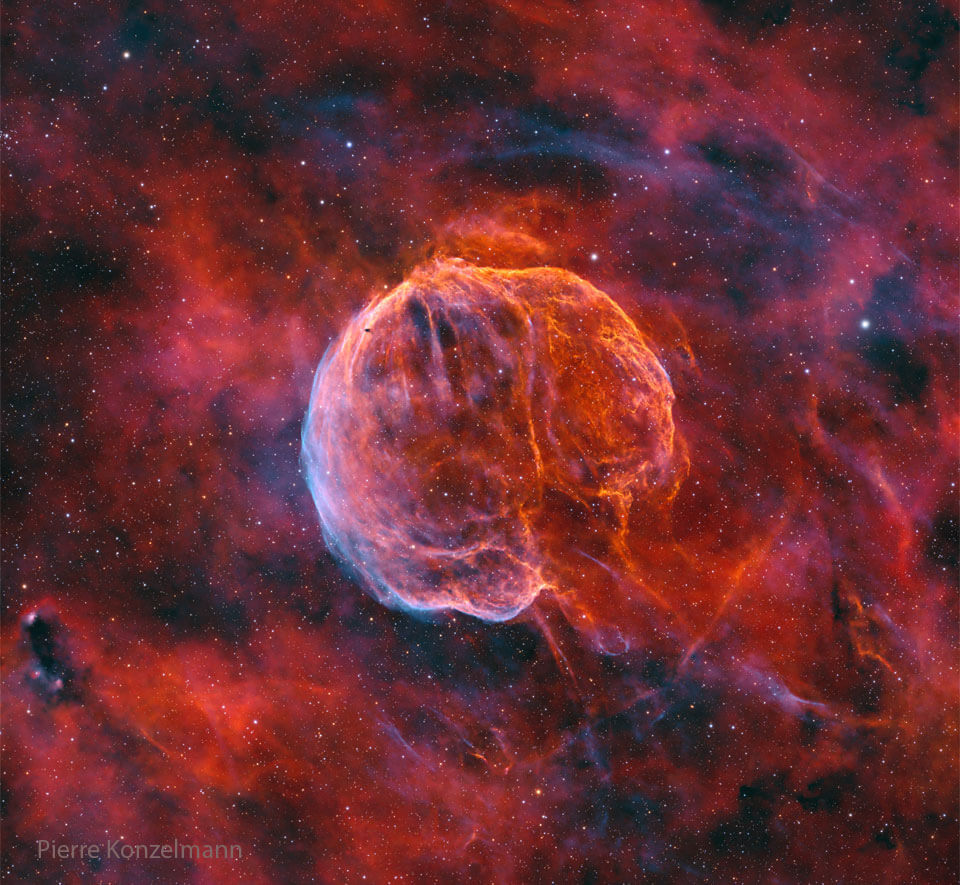
CTB 1: The Medulla Nebula
What powers this unusual nebula? CTB 1 is the expanding gas shell that was left when a massive star toward the constellation of Cassiopeia exploded about 10,000 years ago.Configuration
Add a request codeblock anywhere in your notes and then add the below fields as needed:
| field | type | required | description |
|---|---|---|---|
| url | URL | yes | The HTTP/HTTPS endpoint to request |
| method | string | no | HTTP method: GET, POST, PUT, or DELETE (default: GET) |
| headers | array | no | Request headers as key-value pairs |
| body | JSON | no | Request body (for POST/PUT requests) |
| path | string | no | JSONPath expression to extract data from response |
| then | object | no | Chain another request using data from the previous response |
| — | string | no | Separator between config and template. Use Handlebars JS templates below |
Examples
Random Waifu
```request
url: https://api.waifu.im/search?included_tags=maid
path: $.images[0]
---
<img src='{{url}}' />
```
Chained Authentication Request
Chain unlimited requests. The response value can be embedded into the URL, headers, or body of the next request using the handlebars templates.
```request
url: http://localhost:8080/auth
method: POST
then:
  url: http://localhost:8080/verify
  method: POST
  headers:
    - Authorization: Bearer {{ token }}
```
Random Stoicism Quote
```request
url: https://stoic-quotes.com/api/quote
---
<blockquote><p>{{text}}</p>-{{author}}</blockquote>
```
Random Bible Verse
```request
url: https://bible-api.com/data/web/random
path: $.random_verse
---
{{book}} {{chapter}} {{verse}}
<br />
{{text}}
```